
Messages
Admin Panel Sidebar:
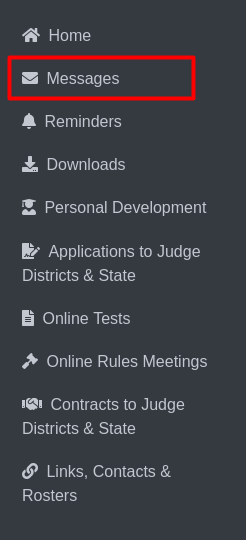
Messages
The labeled item Messages Clicking this option redirects the user to the messages page, where they can view messages for play production or speech.

Messages Page:
Play Production Tab (No. 1): This tab is selected to display messages related to Play Production.
Speech Tab (No. 2): Clicking this tab will switch to displaying messages related to Speech.
Message Count (No. 3): Shows the number of messages received for Play Production or Speech.
Message Details Toggle (No. 4): Clicking the + icon will expand or collapse the details of a specific message.
1.png)
This tab is selected to display detailed messages related to Play Production.
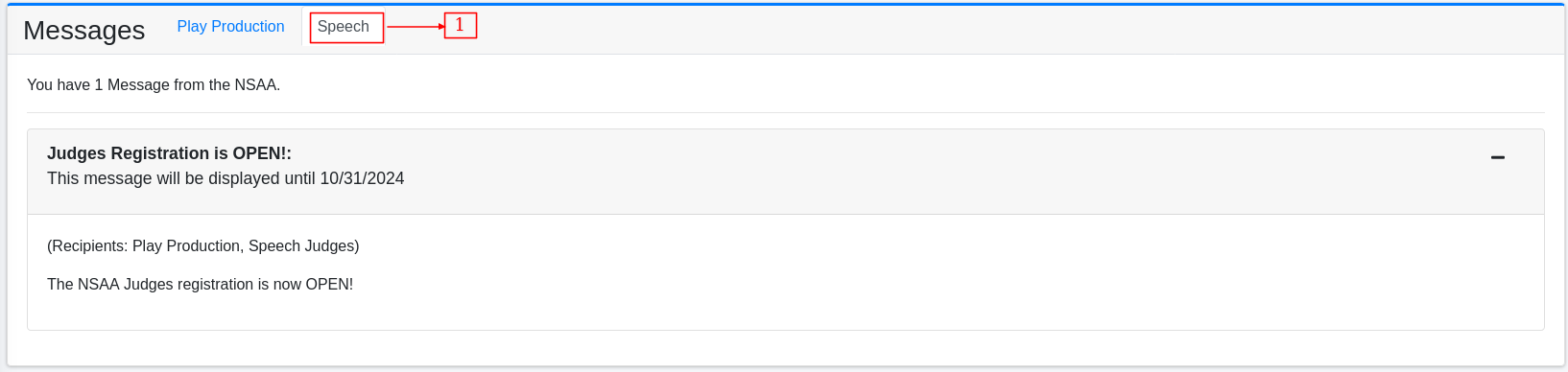
This tab is selected to display detailed messages related to Speech.